
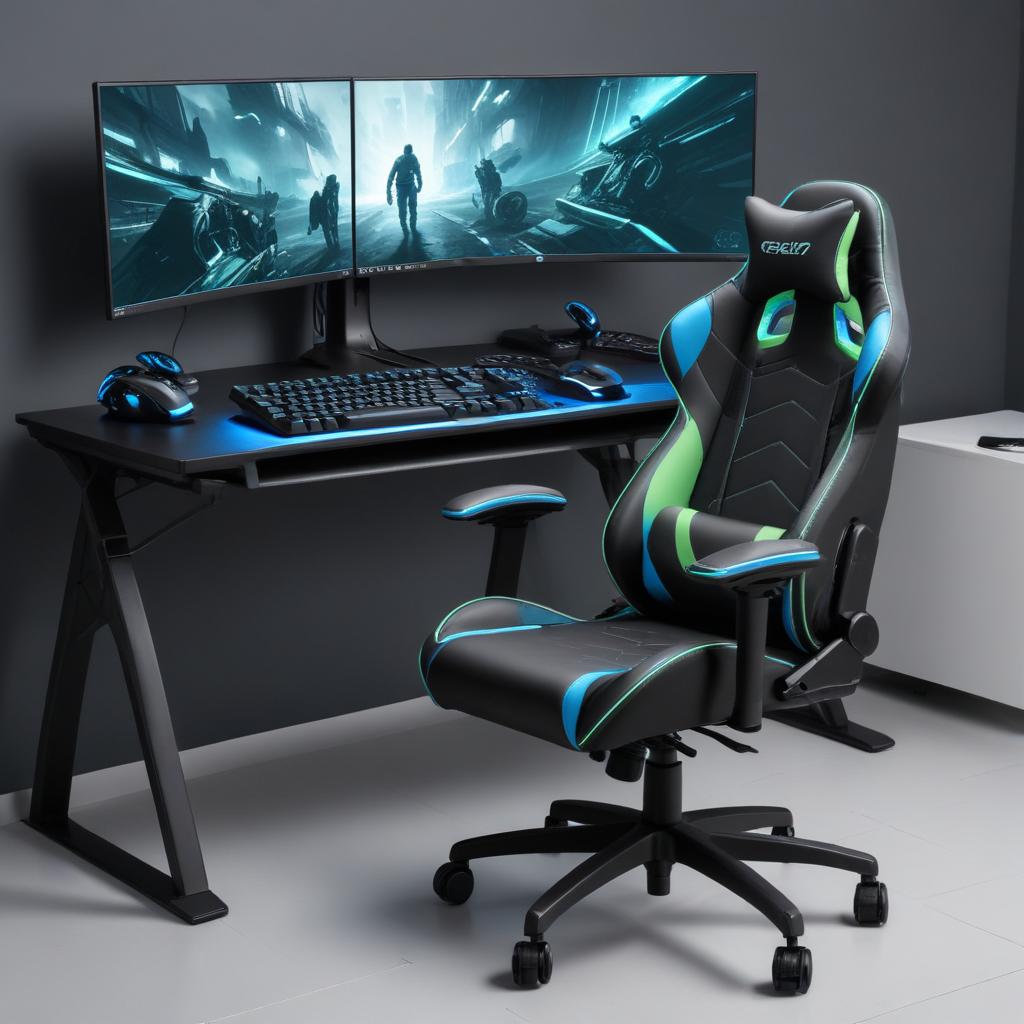
Ergonomic Setup for Better Gaming Control
Maintaining an ergonomic gaming setup is essential for improving your gaming posture, enhancing control, and reducing fatigue during extended play sessions. When your gaming environment is designed to support your body properly, you can focus more on your gameplay without discomfort or distractions.
One of the key components of an ergonomic gaming setup is a quality gaming chair. An adjustable chair with lumbar support promotes a healthy posture by aligning your spine correctly and helping to prevent back pain and muscle strain. Look for chairs with adjustable armrests, seat height, and reclining features to tailor your seating position perfectly to your body and gaming style. This customization not only boosts comfort but also translates into better control when navigating fast-paced games.
Desk height also plays a crucial role in maintaining ergonomic posture. A desk that is too high or too low forces your arms and wrists into unnatural positions, increasing the risk of strain and reducing your control precision. Your forearms should be parallel to the ground or slightly angled down when using your mouse and keyboard, helping to keep your wrists in a neutral position. Adjustable-height desks are ideal for gamers seeking the perfect setup, allowing you to find the optimal position that supports your gaming posture while enhancing overall comfort and control improvement.
In addition to your chair and desk, the right gaming accessories can dramatically improve your experience. Ergonomic gaming peripherals such as mice with contoured shapes, mechanical keyboards with wrist rests, and customizable controllers reduce the physical effort needed to operate them. These accessories are designed to minimize fatigue and increase precision, resulting in smoother, more accurate inputs during gameplay. Investing in gaming accessories that prioritize ergonomic design ensures you maintain control even during long sessions.
Ultimately, integrating an ergonomic gaming setup into your routine is about more than just comfort—it’s a critical factor in control improvement and sustained performance. By optimizing your chair, desk height, and peripherals to support proper gaming posture, you reduce physical stress and allow your hands and arms to move freely and accurately. This approach not only prevents injuries but also enhances your ability to maintain focus and responsiveness, which are vital for success in any gaming environment.
Choosing the Right Gaming Chair and Desk
Selecting the right gaming chair and desk height is essential for maintaining comfort, optimal posture, and precise control during long gaming sessions. An ergonomic gaming chair with adjustable features allows you to customize your seating position to support your spine, reduce fatigue, and prevent strain. Comfort plays a critical role in your ability to stay focused and perform at your best.
Proper desk height complements the chair by ensuring your arms and wrists remain in a neutral position, which minimizes tension and enhances control over your gaming devices. When your desk is too high or too low, it can lead to poor posture, causing discomfort and distraction. Choosing a desk with adjustable height or one set at the correct level relative to your chair creates a balanced setup.
| Feature | Benefit | Tips |
|---|---|---|
| Adjustable Gaming Chair | Supports natural spine alignment and reduces body strain | Look for adjustable height, lumbar support, and recline options for personalized comfort |
| Proper Desk Height | Keeps wrists and arms in neutral positions for better control | Measure desk height so elbows are at 90 degrees when using keyboard and mouse |
| Comfort | Improves focus and reduces fatigue during long sessions | Select breathable materials and cushioned seating to stay comfortable longer |
| Posture Support | Prevents musculoskeletal issues and enhances precision | Adjust chair/backrest and desk to maintain upright posture with feet flat on the floor |
Using Suitable Gaming Peripherals
| Peripheral | Benefits | Key Features |
|---|---|---|
| Gaming Mouse | Improves precision and reaction time | High DPI settings, customizable buttons, ergonomic design |
| Mechanical Keyboard | Enhances typing speed and tactile feedback | Durable switches, programmable keys, anti-ghosting |
| Controller Grip | Provides better hold and reduces hand fatigue | Ergonomic shape, textured surface, shock absorbent |
| Other Peripherals | Optimize comfort and control | Customizable layouts, wrist rests, adjustable sensitivity |
Using suitable gaming peripherals like a gaming mouse, mechanical keyboard, and controller grip can significantly improve both precision and comfort during gameplay. A gaming mouse designed with ergonomic considerations and high DPI allows for faster, more accurate targeting. Mechanical keyboards offer tactile feedback and responsiveness that enhance your control, thanks to durable switches and programmable keys that adapt to your playstyle. Additionally, investing in a controller grip can provide a secure hold and reduce hand fatigue, making long gaming sessions more comfortable. Together, these peripherals create an optimized setup that supports enhanced performance and comfort.
Mental and Physical Techniques to Maintain Control
Maintaining control during intense gaming sessions hinges on both mental focus and physical conditioning. These elements work hand-in-hand to keep your performance sharp and reaction time quick. By cultivating strong mental strategies and incorporating specific physical exercises, you can enhance your hand-eye coordination and sustain high levels of gameplay control.
One of the most effective mental techniques is practicing mindfulness and concentration exercises. Before and during gameplay, take moments to center your thoughts, eliminating distractions and focusing on the task at hand. This heightened mental focus allows you to anticipate moves, make faster decisions, and maintain clarity even under pressure. Visualization techniques, where you mentally rehearse game scenarios and responses, can also improve your cognitive readiness and reaction time.
Breathing exercises are another critical tool for maintaining control. Deep, rhythmic breathing helps regulate your heart rate and reduce stress, which often spikes in competitive or fast-paced gaming. Simple breathing techniques, such as inhaling deeply through the nose for four seconds, holding for four seconds, and exhaling slowly through the mouth for four seconds, can calm nerves and sharpen concentration. Implement these exercises during breaks or brief pauses to reset your mental state and enhance focus.
On the physical side, hand-eye coordination is paramount for executing precise movements and quick reactions. Regularly engaging in exercises that challenge coordination, such as juggling, playing catch, or targeted finger dexterity drills, can strengthen neural pathways responsible for fine motor skills. These practices translate directly into smoother, more accurate inputs during gaming, reducing errors and boosting confidence in high-stakes moments.
Maintaining reaction time also involves consistent physical conditioning beyond just hand exercises. Cardiovascular workouts increase overall blood flow and oxygen to the brain, improving alertness and stamina. Meanwhile, stretching and strengthening your hands, wrists, and forearms can prevent fatigue and repetitive stress injuries, allowing you to sustain optimal control throughout long sessions. Integrating short physical warm-ups prior to gaming can further prepare your body and mind for peak performance.
Incorporating these mental and physical techniques into your routine can profoundly impact your ability to maintain control while gaming. By fostering strong mental focus, utilizing breathing exercises to calm the mind, enhancing hand-eye coordination, and supporting reaction time with physical fitness, you’ll build endurance and precision for every gaming challenge.
Improving Hand-Eye Coordination
Enhancing hand-eye coordination is crucial for maintaining control during gaming. This skill directly influences your reaction time, allowing you to respond quickly and accurately to in-game events. By incorporating specific gaming drills and exercises into your routine, you can significantly boost your accuracy and overall responsiveness.
One effective drill for improving hand-eye coordination involves using a reaction ball or a small rubber ball that bounces unpredictably. Practice catching it with one hand and then the other to sharpen your reflexes and fine motor skills. This exercise trains your brain to process visual information and translate it into precise movements swiftly.
Another popular exercise is the “follow the light” drill, which can be done using apps or dedicated hardware that illuminate random lights in a sequence. As you tap or press the lit buttons, your reaction time and accuracy improve. This kind of drill mimics the unpredictable nature of gaming scenarios, helping you stay sharp.
For a tech-based alternative, try playing rhythm games or fast-paced puzzle games that require quick decision-making and precise inputs. These gaming drills force you to synchronize your hand movements with what you see on screen, directly enhancing your hand-eye coordination. Regularly practicing these exercises will help you maintain better control and respond more effectively during competitive play.
Breathing and Focus Techniques
In the fast-paced world of gaming, maintaining control can be challenging, especially under pressure. Incorporating breathing exercises into your routine is an effective way to manage stress and enhance focus. Deep, controlled breathing helps regulate the nervous system, reducing the physical symptoms of anxiety such as increased heart rate and muscle tension. This calming effect allows gamers to stay composed during intense moments, directly improving their gaming performance.
Focus techniques work hand-in-hand with breathing exercises to sharpen attention and minimize distractions. By practicing mindfulness or concentration drills before and during gaming sessions, players can maintain a steady mental state, leading to quicker reaction times and better decision-making. This clarity is essential for navigating complex game scenarios and executing strategies precisely.
Stress management through these methods not only enhances in-game control but also promotes long-term mental resilience. Gamers who master breathing exercises and focus strategies often find themselves less overwhelmed by high-stakes situations, allowing for more deliberate and confident gameplay. The combined effect of reduced stress and improved focus means that every move can be more calculated, resulting in a competitive edge.
Overall, integrating breathing exercises and focus techniques into your gaming routine is a simple yet powerful way to boost performance. By calming the mind and strengthening concentration, you can maintain better control over your gameplay and make smarter decisions when it matters most.
Optimizing Game Settings to Enhance Control
One of the most effective ways to maintain control while gaming is by fine-tuning your game settings to suit your personal preferences and hardware capabilities. Properly adjusting sensitivity, optimizing graphics, and reducing latency can significantly enhance both your gameplay experience and performance, allowing for smoother and more precise control over your in-game actions.
Starting with sensitivity adjustment, it’s important to find a balance that matches your play style. Mouse and controller sensitivity settings determine how quickly your character or crosshair moves in response to your input. Too high a sensitivity can make aiming erratic, while too low can feel sluggish. Experiment with incremental changes to your sensitivity settings in the game’s options menu until you find a level that allows you to react quickly but also maintain accuracy. Many competitive gamers recommend testing sensitivity in training modes or aim trainers before entering actual matches.
Next, focus on graphics optimization. While high graphical settings can produce stunning visual effects, they may also cause frame drops or stutters, affecting the smoothness of gameplay and making control more difficult. Lowering settings like texture quality, shadows, and post-processing effects can help maintain a stable frame rate. Aim for consistency rather than flashy visuals, especially in fast-paced competitive games. Adjusting your resolution can also impact performance; consider reducing resolution slightly if your FPS (frames per second) struggles to stay stable, enabling more responsive input and smoother control.
Another crucial aspect is latency reduction. Latency, or input lag, is the delay between your input and the game’s response. High latency can make your controls feel sluggish and imprecise. To reduce latency, start by using a wired internet connection instead of Wi-Fi, as it provides a more stable and faster connection. Additionally, enabling any available “low latency” or “performance mode” settings in your game or graphics card control panel can help. Make sure your device’s drivers are updated and close any unnecessary background applications that might consume bandwidth or processing power.
By carefully adjusting your game settings focusing on sensitivity adjustment, graphics optimization, and latency reduction, you can create an environment that maximizes your control and overall gaming performance. Taking the time to customize these settings may seem tedious initially, but the improvement in your gameplay accuracy and responsiveness will make it worthwhile. Remember, the optimal settings differ for every gamer and setup, so regularly revisiting these options can help you stay at the top of your game.
Adjusting Sensitivity and Controls
One of the most effective ways to maintain control while gaming is to fine-tune your sensitivity and game controls to match your style and comfort. Starting with mouse DPI settings, it’s important to find a balance between precision and speed. Higher DPI allows faster cursor movements but can reduce accuracy, while lower DPI offers finer control but slower responses. Experiment with different DPI levels in small increments to identify what works best for you in various game scenarios.
In addition to mouse DPI, customizing key bindings is essential for efficiency and comfort. Default layouts may not always be the most intuitive or accessible for your playing style. Rebinding keys to more comfortable positions can reduce hand strain and improve reaction times. Consider grouping commonly used actions near each other and use modifiers when possible to expand your control options without cluttering your fingers’ reach.
Controller users should also adjust their settings carefully. Sensitivity settings for joysticks or thumbsticks can have a huge impact on aiming and movement fluidity. Many games offer separate sensitivity scales for different actions such as aiming down sights or free look. Take time to calibrate these settings to ensure you have smooth, responsive controls that don’t cause overcorrection.
Ultimately, fine-tuning sensitivity, mouse DPI, key bindings, and other game controls is about creating a setup that maximizes your precision while remaining comfortable during extended play sessions. Regularly revisiting and adjusting these settings as you improve can make a notable difference in your overall gaming performance.
Reducing Input Lag and Improving Responsiveness
Minimizing input lag is essential for maintaining control and enhancing your gaming experience. Input lag, the delay between your actions and the game’s response, can be influenced by several factors including hardware, network latency, and display settings. To reduce input lag, start with hardware optimization. Ensure your gaming PC or console is running at optimal performance by regularly updating drivers, closing unnecessary background applications, and using high-quality input devices such as mechanical keyboards and gaming mice known for their low latency. Additionally, keeping your system cool and powered ensures stable performance, which directly impacts responsiveness.
Network latency plays a significant role in input lag, particularly for online gaming. To improve network stability, use a wired Ethernet connection when possible, as Wi-Fi tends to introduce more latency and packet loss. If Wi-Fi is your only option, position your router closer to your gaming setup and consider upgrading to a router that supports higher speeds and lower latency protocols like Wi-Fi 6. Use tools to monitor your network performance and avoid bandwidth-heavy activities on your network during gaming sessions to maintain a stable connection.
Finally, optimizing your display settings can make a noticeable difference. Use a monitor with a high refresh rate (such as 144Hz or higher) and enable any gaming or low-latency modes your display offers to speed up image processing. Lowering the resolution or graphics settings can also improve performance, reducing frame rendering time and input delay. Combining these hardware optimizations, network stability techniques, and display adjustments will significantly reduce input lag and improve overall responsiveness, ensuring a smoother and more controlled gaming experience.

I’ve spent the last decade dissecting everything from classic slot volatility to the latest crash game mechanics, driven by a genuine fascination with how RNG and math drive entertainment. Whether I’m tracking tournament meta-changes or hunting for hidden features in new mini-games, my goal is to share honest insights that help players understand the games they love.